
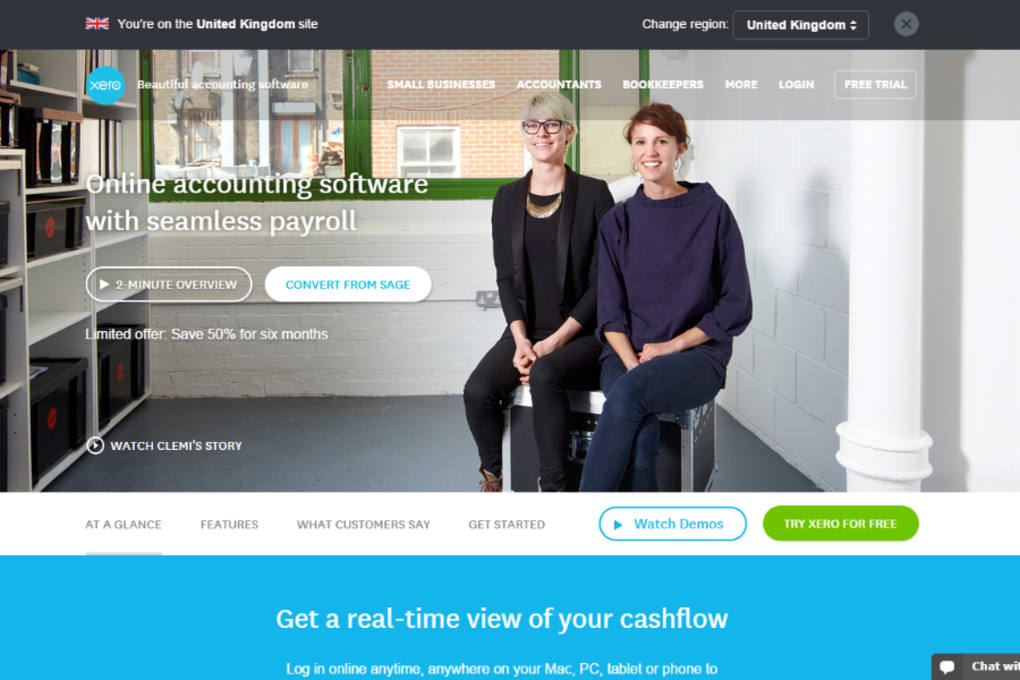

Download Xero – Online Accounting, Invoicing & POS for Small Business
Overview of Xero
Xero is a cloud‑based accounting platform built specifically for small‑business owners who need a simple, secure and scalable way to manage money. Since its launch, Xero has attracted more than a million users worldwide, positioning itself as a one‑stop shop for everything from daily cash‑flow tracking to payroll processing. The service unifies multiple bank accounts, credit cards, and online payment gateways into a single real‑time dashboard, giving entrepreneurs a clear picture of their financial health at any moment.
In addition to core bookkeeping, Xero offers point‑of‑sale (POS) integration, inventory management, and automated tax features that reduce manual data entry and the risk of errors. Whether you run a boutique coffee shop, a mobile consulting practice, or an e‑commerce store, Xero’s flexible design lets you create itemised invoices, accept electronic payments, and generate detailed reports without needing separate software for each function. The platform also connects to a growing ecosystem of third‑party apps—such as payment processors, CRM tools, and payroll services—making it easy to expand capabilities as your business grows.
With built‑in security protocols, regular automatic updates, and mobile‑friendly interfaces for iOS and Android, Xero delivers a modern accounting experience that blends ease of use with powerful automation.
Key Features That Set Xero Apart
- Real‑time Bank Feeds: Link unlimited bank accounts and credit cards to automatically import transactions, categorize them, and reconcile in minutes.
- Customisable Invoicing: Drag‑and‑drop invoice templates, add branding, set payment terms, and send invoices instantly via email or a shareable link.
- Point‑of‑Sale Integration: Sync sales data from compatible POS hardware or apps, keeping inventory levels and revenue figures up‑to‑date without double entry.
- Inventory Management: Track stock quantities, set reorder alerts, and attach images or descriptions to each item for quick identification.
- Payroll & Expense Claims: Automate payroll calculations, tax withholdings, and employee expense reimbursements—all compliant with local regulations.
- Multi‑currency Support: Conduct business globally with automatic currency conversion, real‑time exchange rates, and multi‑currency reporting.
- Robust Reporting Suite: Generate profit & loss statements, balance sheets, cash‑flow forecasts, and custom dashboards for data‑driven decisions.
- Mobile Apps for iOS & Android: Manage invoices, approve expenses, and view cash‑flow on the go, ensuring you stay connected wherever you are.
- Third‑Party Marketplace: Connect to over 800 apps—including Shopify, Stripe, Gusto, and HubSpot—to extend functionality without coding.
- Secure Cloud Hosting: Data is encrypted at rest and in transit, with daily backups, two‑factor authentication, and ISO 27001 compliance.
Installation, Setup & Daily Usage
Step‑by‑Step Installation
Getting started with Xero is straightforward. Visit the official website, click the Start Free Trial button, and fill out the short registration form with your name, email, and a secure password. Because Xero is a SaaS solution, there is no software to download or install on a desktop; the entire application runs in your web browser. For mobile users, head to the Apple App Store or Google Play Store, search for “Xero Accounting,” and install the native app. After logging in for the first time, you’ll be guided through a wizard that helps you:
- Connect your bank accounts using your online banking credentials.
- Set your fiscal year, tax settings, and default currency.
- Import existing contacts, customers, and suppliers from a CSV file.
- Choose a pricing plan that matches your business size (Early, Growing, Established).
Daily Workflow Tips
Once your account is live, most users spend a few minutes each day reconciling bank transactions. Xero’s auto‑suggest feature matches incoming entries with existing invoices or bills, allowing you to approve matches with a single click. For invoicing, create a new invoice, select a customer from your contact list, add line items from your inventory, and hit “Send.” The recipient receives a secure, branded link where they can pay instantly via credit card, ACH, or popular e‑wallets.
Payroll runs can be scheduled weekly, bi‑weekly, or monthly; Xero automatically calculates taxes and generates payslips that employees can view in the mobile app. To keep your data tidy, set up recurring invoices for subscription services, and use the expense claim feature to capture receipts on the fly with your phone’s camera. Finally, leverage the built‑in reporting dashboard to monitor cash flow trends, spot overdue invoices, and export financial statements for your accountant or tax preparer.
Compatibility, Integrations & Security
Xero is truly platform‑agnostic. Because the core product runs in a modern web browser, it works seamlessly on Windows 10/11, macOS Catalina and later, as well as Linux distributions with Chrome, Firefox, or Edge. The dedicated mobile apps are native to iOS 13+ and Android 8.0+, ensuring full functionality on tablets and smartphones. This cross‑platform support means you can manage finances from a desktop office, a home laptop, or a roadside tablet without missing a beat.
Integration Ecosystem
One of Xero’s biggest strengths is its open API and extensive marketplace. Popular integrations include:
- Payment Gateways: Stripe, PayPal, Square, and Braintree for instant online payments.
- e‑Commerce Platforms: Shopify, WooCommerce, and BigCommerce for automatic order syncing.
- Payroll Services: Gusto, ADP, and Paychex for region‑specific payroll compliance.
- CRM Tools: HubSpot, Insightly, and Salesforce to keep customer data aligned with invoicing.
- Time‑Tracking Apps: Harvest and Toggl for billable hour integration.
Each integration can be enabled with a few clicks inside the Xero dashboard, and most apps offer two‑way data sync, eliminating duplicate entry and ensuring consistency across your business stack.
Security & Data Protection
Xero stores data in secure, ISO‑27001‑certified data centres with encryption both at rest (AES‑256) and in transit (TLS 1.2). Users can enable multi‑factor authentication (MFA) via authenticator apps or SMS, and administrators have granular permission controls to limit access to sensitive financial modules. Daily automated backups, combined with a 30‑day version history, protect against accidental deletions or ransomware attacks. For added peace of mind, Xero undergoes regular third‑party security audits and complies with GDPR, SOC 2, and other international privacy standards.
Pros, Cons, Frequently Asked Questions & Final Verdict
Pros
- Intuitive, cloud‑based interface accessible from any device.
- Comprehensive feature set that combines accounting, POS, inventory, and payroll.
- Robust integration marketplace for seamless expansion.
- Real‑time bank feeds and auto‑reconciliation save time.
- Strong security measures and regular automatic updates.
Cons
- Pricing can be higher than basic bookkeeping tools for very small startups.
- Advanced inventory features may require additional learning for non‑technical users.
- Limited offline access; internet connection is required for core functions.
Frequently Asked Questions
Is there a free version of Xero?
Xero offers a 30‑day free trial with full access to all features. After the trial, you must choose one of the paid plans; there is no permanently free tier.
Can I use Xero for multi‑currency transactions?
Yes. Xero supports unlimited currencies, automatically applying live exchange rates and generating multi‑currency reports.
How does Xero handle payroll taxes?
Payroll taxes are calculated based on the settings you configure for your country or state. Xero updates tax tables automatically and files required submissions where supported.
Is Xero suitable for businesses with no accounting background?
Absolutely. The guided setup wizard, video tutorials, and a large knowledge base make it easy for beginners to get started, while advanced users can dive deeper into custom reports.
What kind of customer support does Xero provide?
Xero offers 24/7 email support, live chat during business hours, an extensive community forum, and a library of webinars and how‑to articles.
Final Verdict & Call to Action
For small‑business owners who need more than a simple spreadsheet, Xero delivers a polished, all‑in‑one solution that scales with growth. Its real‑time banking, automated invoicing, and expansive app ecosystem make day‑to‑day financial management less of a chore and more of a strategic advantage. While the subscription cost is higher than some niche tools, the time saved on manual entry, the reduction in errors, and the peace of mind from built‑in security justify the investment. If you’re ready to modernise your bookkeeping, streamline cash flow, and gain actionable insights—all from a secure cloud platform—click the button below to start your free 30‑day trial and experience why over a million entrepreneurs trust Xero.
Start Free Trial of XeroXero strikes a strong balance between usability and depth. The interface feels modern, the automation cuts hours of manual work each week, and the integration marketplace means you won’t outgrow the platform as your business expands. The only drawback is the price point for very early‑stage startups, but overall it’s a worthwhile investment for serious growth.



.png)



